


How to Convert an Image to Text on the Web?
Image-to-text conversion is the process now commonly used to digitize printed documents. Many people convert images into digital text so they can copy the text and use it as needed. There are various apps and online utilities that help with image-to-text conversion. We are here to discuss how to convert an image to text on the web.
Different Ways to Convert Image to Text
There are many ways to convert an image to text. You can use OCR (Optical Character Recognition) technology to convert an image into text.
Many phones also have built-in text scan features. Open your camera, point it at the text, and copy the words. Some apps can scan printed pages and save them as editable text.
You can even use AI tools that read text from photos, screenshots, or scanned files. The best method depends on your needs.
The simplest way is to use an online image to text tool. Just upload your image, and the tool will read the words for you.
How to Convert an Image to Text on the Web?
The best and easiest method to convert images into text on the web is to use an online image to text tool. These tools usually use OCR (optical character recognition) technology to extract text from images and deliver accurate results.
Each image-to-text tool you will find online will have different capabilities, limitations, and conversion quality. Some good tools include Imagetotext.me, Imgetotextconverter.net, and OCROnline.io. You can use them in any browser, on mobile or desktop.
Next, we are going to demonstrate steps that you need to follow to convert an image to text using a web-based utility. Mostly, the steps are similar across the tools available on the internet and vary slightly.
Step 1: Open Image to Text Converter
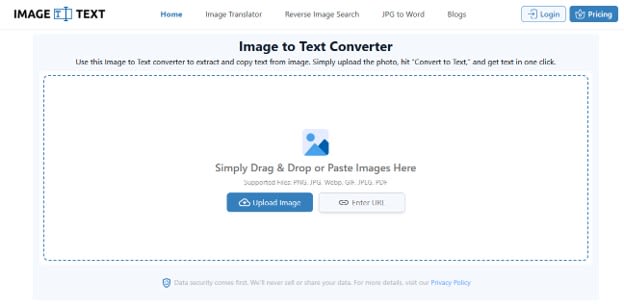
The process begins by going to the right tool. Simply open a web browser and search for a query like “image to text converter” or “online OCR tool”. Among the results, open one. As an example, let’s proceed with imagetotext.me.
Step 2. Submit Images
Once you have an image to text tool open, submit images to it. Different tools offer different methods.
For the one (imagetotext.me) that we are using for demonstration, you get to submit images by:
- Manually uploading them from the device
- Copying-pasting them
- Dragging and dropping directly inside the tool
- Inserting a public URL of an image from the internet
To continue our demonstration, we are uploading images of some novel pages into the tool.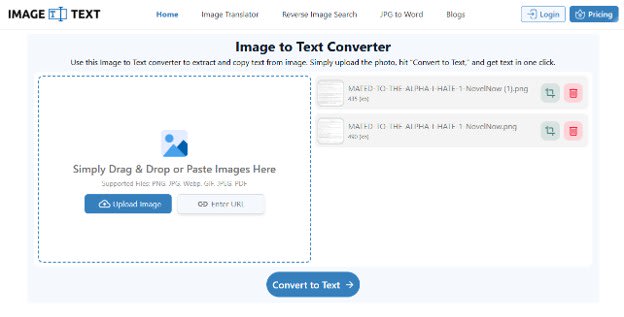
Step 3. Convert & Download
After uploading images, click the convert button. Processing time will depend on the size of the images.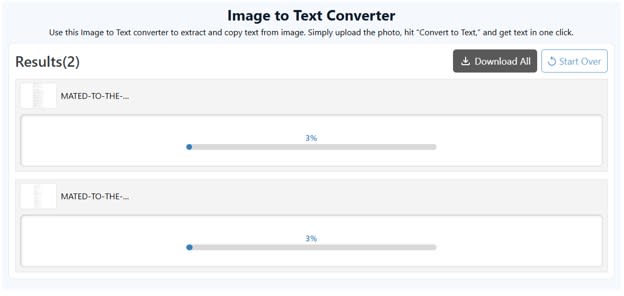
Once processed, the tool will show you a results box like the one below, with the extracted text.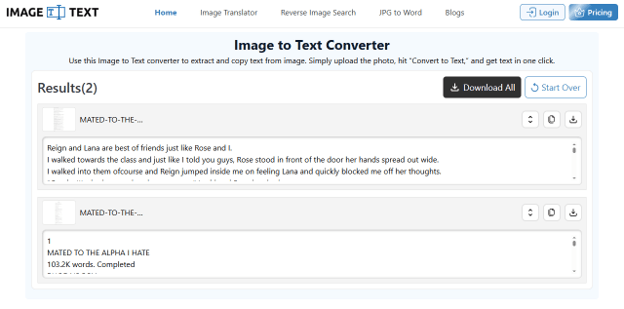
Now you get two options: either copy the converted text or download it as a digital file. To copy, click the copy icon next to each image; likewise, for downloading, click the download icon. To download in bulk, click the Download All button.
Once you click the download button, you will be asked to choose a file type among the available options, which vary with the tool. Imagetotext.me, which we are using for demonstration, offers to download the converted text as PDF, TXT, or DOCX.
How Many Images Can You Convert?
The number of images you can convert at a time actually depends on the tool you are using. Some tools, like Imagetotext.info, offer to convert 2 images for free in a single submission, with daily usage limits. While tools like Imagetotext.me and OCROnline.io let you convert 5 images at once with no daily caps.
You can exceed the limit with a paid plan. For example, with Imagetotext.me, you can convert 50 images per submission for just $7.50/month. If you need to process thousands of images a day, like in a digital mailroom, then a good choice would be using image to text API.
Takeaway
Converting an image to text on the web is one of the easiest ways to turn printed or handwritten content into editable text. You do not need to install any software. Just open a web browser, upload your image, and let the tool extract the text for you. Most online OCR tools also let you copy or download the results in different formats.
Want to publish a guest post on aamax.co?
Place an order for a guest post or link insertion today.
Place an Order