

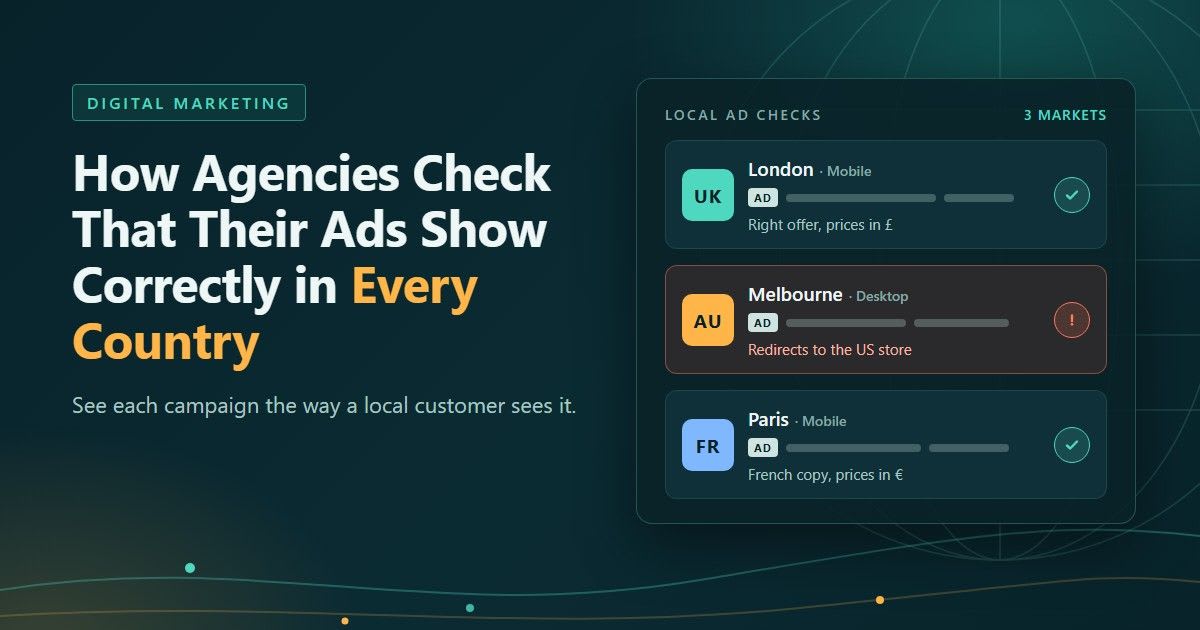
How Agencies Check That Their Ads Show Correctly in Every Country
It usually starts with a screenshot from the client. Someone on their team in Melbourne searched for the brand, clicked the ad and landed on the US store, with US prices and a shipping banner that doesn't apply to them. The campaign dashboard looks fine. Impressions are up, the click-through rate is healthy, nothing is flagged. And yet the people paying for the ads can see that something is wrong, and you can't.
If your agency runs Google Ads, social campaigns or display for clients in more than one country, this happens sooner or later. The fix isn't a better dashboard. It's a habit of checking campaigns the way a local customer experiences them, market by market, before the client does it for you.
Why the ad you see isn't the ad they see
An ad isn't one fixed thing. What gets served depends on where the viewer is, what device they're on, the language of their browser, the network they're connected to and the time of day. The landing page behind it often makes its own decisions too: geo-redirects to a regional store, currency switching, cookie consent banners that only load for European visitors, offers that exist in one country and not another.
Campaign settings add another layer. In Google Ads, the default location option is "Presence or interest", which reaches people in your targeted locations, people regularly there, and people who have shown interest in those places. So a campaign aimed at the UK can be shown to someone sitting in Dubai who has been researching London. That's often what the client wants, but if the landing page assumes every visitor is in the UK, the experience can fall apart.
Your team, meanwhile, is checking from one office, on one connection, in one country. Everything you see is filtered through that single viewpoint.
What actually goes wrong across markets
After enough multi-country campaigns, the same problems come up again and again:
The wrong creative or offer. Last month's promotion is still live in one region, or the French ad set is serving English copy because a language setting was missed.
Broken redirects. The ad points to a product page, but visitors from one country get bounced to the homepage or to another country's site, and the tracking parameters fall off along the way.
Prices that don't match. The ad promises one price and the landing page shows another, or shows it in the wrong currency.
Ads where they shouldn't be. A campaign excluded from a market still appears there, or a display ad sits next to content the client would never sign off on.
Someone else on the brand terms. An affiliate or reseller is bidding on the client's brand name in a country you don't actively watch, sending traffic through their own links.
None of these show up as an error in a report. The numbers just get a bit worse, or the client notices before you do.
Start with the free tools
Before anything else, use what the platforms give you. Google's Ad Preview and Diagnosis tool lets you enter a search term and set the location, language and device, then shows you a preview of the results page and whether your ad is eligible to appear. Google recommends it over searching for your own ad on Google, and for good reason: real searches add impressions without clicks, which pulls down your click-through rate, and Google may eventually stop showing you the ad at all because it decides you aren't interested.
For a wider view, Google's Ads Transparency Center and Meta's Ad Library let you look up the ads an advertiser is running and filter them by region. They're useful for spotting a creative that shouldn't be live, and for keeping an eye on what competitors run in each market.
These tools answer one question well: is the ad eligible, and what does it look like? They don't tell you what happens after the click for a real visitor in that city. They don't show you what a publisher's page looks like around your display ad, or where an affiliate's link actually sends people. For that you need to load the page as a local visitor would.
Why a VPN or the office connection isn't enough
The obvious next step is a VPN. It works up to a point, and plenty of agencies stop there. The trouble is that most VPN servers sit in data centers, and ad tech is very good at recognising data center IP addresses.
The Media Rating Council's invalid traffic guidelines list known data center traffic as a category of general invalid traffic, meaning traffic that is likely not from a real person. Ad servers and verification systems filter it accordingly. So when you check a campaign from a data center IP, you may get no ad, a different ad, or a cleaned-up version of a page. Your check passes, and real customers still see the broken version.
It gets worse with bad actors. Cloaking scripts and malicious redirects are built to show a harmless page to anything that looks like a reviewer, a data center or an advertiser's office, and show the real content only to ordinary consumer traffic. If your checks don't look like consumer traffic, you won't see the problem you're looking for.
Where proxies for ad verification come in
This is the gap that residential and mobile proxies fill. A residential proxy routes your check through a real home broadband connection in the location you choose. A mobile proxy routes it through a 4G or 5G carrier network. To an ad server or a landing page, the visit looks like an ordinary local customer, because at the network level that's what it is.
The useful part is the targeting. Good providers let you choose not only the country but the region, the city and the ISP, and for mobile, the carrier. If a client's campaign targets Manchester, you check from Manchester. If it targets mobile users on a particular network in Jakarta, you check from that network. If you want to see how proxies for ad verification handle city, ISP and carrier targeting in more detail, that page breaks down which proxy type suits which kind of check.
Two settings matter more than most people expect:
Sticky sessions for following a click. When you trace an ad through its redirects to the final landing page, keep the same IP for the whole journey. Switching IPs halfway through can change the route or trip fraud checks, which hides exactly what you were trying to find.
Rotation for coverage. When you're checking a long list of placements or keywords, a new IP per request spreads the checks out so they look like many separate visitors rather than one very busy one. Keep the pace reasonable for the sites involved.
A simple routine for multi-country campaigns
The agencies that catch problems early aren't doing anything exotic. They've turned checking into a routine that runs alongside the campaign, rather than something they do after a complaint.
Build a market list from the campaign settings. For each client, write down every country, city, language and device combination the campaigns actually target. That list is your test plan. Country-level checks alone miss most local problems.
Match the device to the campaign. Mobile and desktop users often get different ads and different landing pages. Check mobile campaigns from mobile IPs in a mobile browser, not from a desktop with a resized window.
Use a real browser. Most ads load through JavaScript, so a plain page request won't show them. Run checks in a full browser, or a headless browser if you're automating.
Follow the whole click. Go from the ad to the landing page to the product page, and confirm the language, the price, the currency and the tracking parameters at each step.
Check at the moments that matter. At launch, after any change to targeting or creative, when a promotion starts or ends, and as a weekly spot check on the biggest markets.
Keep evidence. Save a screenshot, the final URL, the redirect chain, the time and the location you checked from. If you need to raise a placement with a publisher, a network or an affiliate, that's what they'll ask for.
That evidence also makes for good client reporting. A short section showing that each market was checked, with screenshots from each location, tells the client you're watching what they're paying for, not just the numbers in the dashboard.
What to look for in a proxy provider
If you're choosing a provider for this kind of work, a handful of things decide whether it's useful or just another subscription:
Coverage in the markets you actually buy. A big country count means little if the pool is thin in the cities your clients target. Ask about depth in your key markets.
City, ISP and carrier targeting. Without these you're back to country-level checks.
Both residential and mobile IPs. Mobile campaigns and in-app placements need mobile carrier IPs to be checked properly.
Sticky sessions and per-request rotation. You need both for the two kinds of check described above.
Fair billing. Check whether you're charged only for successful requests and whether unused bandwidth carries over, since verification work tends to come in bursts around launches.
A clear acceptable use policy. A reputable provider supports checking and protecting your own campaigns and refuses to support fake clicks, impressions or any other ad fraud. That's a good sign about who else is on the network.
Treat it like any other QA
No agency would launch a client website without checking it in Safari, on a phone and on a slow connection. Ads deserve the same care, and they're arguably more fragile, because they change with every market, device and network they reach.
The tools are straightforward: the platforms' own preview tools for eligibility, a residential or mobile proxy for the local view, and a routine that makes checking part of the job. Put those together and the next screenshot from the client is more likely to say "looks great" than "why am I seeing this?"
Want to publish a guest post on aamax.co?
Place an order for a guest post or link insertion today.
Place an Order