

Do Multiple H1 Tags Hurt SEO
Settling the One-H1 Debate
Few technical SEO questions generate as much confusion as this one. Legacy audit tools flag multiple H1 tags as an error. Older best-practice guides insist on exactly one per page. Meanwhile HTML5 explicitly permits multiple H1 elements within sectioning content, modern frameworks and page builders routinely generate several, and Google representatives have stated repeatedly that using more than one H1 is not a problem and will not, by itself, damage rankings.
So who is right? Both, in a sense. Multiple H1 tags do not trigger a penalty and are not inherently harmful. But multiple H1 tags are frequently a symptom of a page whose structure is genuinely unclear — and unclear structure does hurt performance. The tag count is not the issue; the hierarchy it reveals usually is.
How AAMAX.CO Can Help With Technical SEO and Site Structure
AAMAX.CO is a full service digital marketing company providing Web Development, Digital Marketing and SEO services worldwide, and heading structure is one small part of the technical foundation we build for clients. Because we deliver both development and search expertise, we fix these issues at the source rather than patching them afterwards — cleaning up template-generated heading chaos, restructuring content hierarchies, resolving crawlability and indexation problems, implementing structured data, improving Core Web Vitals and ensuring accessibility standards are met. Technical debt in your templates quietly caps the performance of every page you publish. To have that foundation properly audited and rebuilt, hire AAMAX.CO and our SEO services will make sure your structure supports your content instead of undermining it.
What Search Engines Actually Do With Headings
Headings are used to understand document structure and topical organisation. They help search engines determine what a page is about, how its subtopics relate, and which passages answer which questions — the latter being increasingly important as passage-level ranking and generated answers extract specific sections rather than whole pages.
Note what headings are not: they are not a dominant ranking factor, they cannot rescue thin content, and their count is not scored. Search engines are also robust to imperfect markup, because most of the web has imperfect markup. If your H1 is missing entirely, systems will often infer the main topic from the title tag or the most prominent text. If you have four H1s, they will try to work out the primary subject from context. The risk is not punishment; it is ambiguity, and ambiguity means you lose the chance to state your topic clearly.
When Multiple H1s Genuinely Cause Problems
- Competing topics. If your H1s say different things — a brand name, a promotional slogan and a service description — the page has no single clear subject, and no ranking signal is reinforced.
- Template pollution. Many themes wrap logos, sidebar widgets or footer sections in H1 tags. Now every page on the site declares the same generic heading, and none of them declare their actual topic.
- Accessibility failure. Screen reader users navigate by heading structure. Randomly assigned levels make a page genuinely difficult to use, and accessibility problems affect real users regardless of ranking impact.
- Broken hierarchy. Pages that jump from H1 to H4, or use headings purely for font size, lose the nested relationships that help systems extract answers.
- Diluted emphasis. If everything is a top-level heading, nothing is emphasised.
In each case, the harm comes from unclear communication, not from the number itself.
A Practical Heading Framework
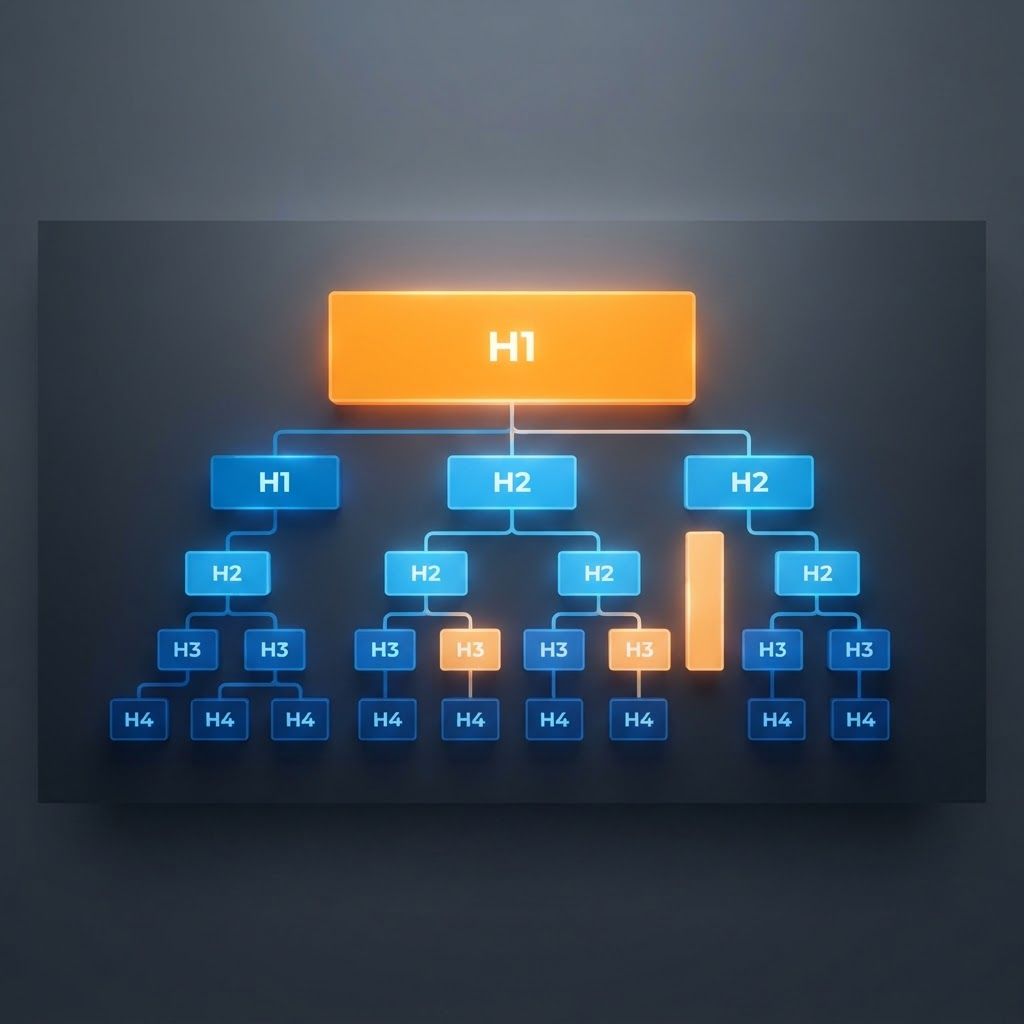
Our recommendation for almost every page is straightforward and safe. Use one H1 that clearly states the page's primary topic, closely aligned with the title tag but written for on-page readers. Use H2s for major sections, each describing a distinct subtopic in language your audience would recognise. Use H3s for subsections nested logically within their parent H2, and H4s only when genuine depth requires them. Never skip levels for styling reasons — control appearance with CSS, and choose heading levels based on meaning.
Write headings that would work as a table of contents. If someone read only your headings, they should understand the shape of the page and be able to find the section they need. That single test resolves most heading debates faster than any tool.
Check your templates specifically. Logos should be images or divs, not H1s. Sidebar module titles are usually H2 or H3. Footer headings are rarely top-level. On blog listing pages, the page title is the H1 and individual post titles are typically H2s. On single-page sites and long-form landing pages, one H1 for the overall proposition with H2s per section works far better than an H1 per section.
Auditing Your Own Site
A quick audit is easy. Crawl your site and export every heading, then look for four patterns: pages with no H1, pages where the same H1 repeats site-wide, pages with multiple conflicting H1s, and pages with skipped levels. Fix the missing and duplicated cases first, because those represent lost opportunities to declare your topic. Multiple-H1 pages only need fixing where the headings genuinely conflict or come from template junk. Do not spend a week rewriting a heading structure that already reads clearly just because a tool flagged a warning.
Prioritise this work relative to everything else, though. Heading fixes are cheap and worth doing, but they will not outperform better content, stronger internal linking or improved page experience. Sequencing effort correctly is part of what makes an integrated digital marketing programme effective rather than merely busy.
Why Structure Matters More in the AI Era
There is a new reason to take hierarchy seriously. Generated answers and AI assistants extract specific passages, and they rely heavily on semantic structure to know which chunk of a page answers which question. Clean heading hierarchies, descriptive section titles, direct answers placed immediately beneath their heading, and supporting schema all make content dramatically easier for machines to parse and quote. Pages built as undifferentiated walls of text get summarised poorly or ignored entirely. Preparing content for that extraction layer is exactly what GEO services focus on, and heading structure is one of its simplest, highest-leverage components.
Final Verdict
Do multiple H1 tags hurt SEO? Not directly, and not as a penalty. Search engines handle them fine, and HTML5 permits them. But multiple H1s often indicate a page with no clear primary topic, template markup errors or accessibility problems — and those genuinely limit performance. The safe, simple approach remains one clear H1 stating the topic, followed by a logical H2 and H3 hierarchy that reads like an outline. If you want a full technical audit that finds the structural issues actually holding your site back, our team can deliver it.
Want to publish a guest post on aamax.co?
Place an order for a guest post or link insertion today.
Place an Order