

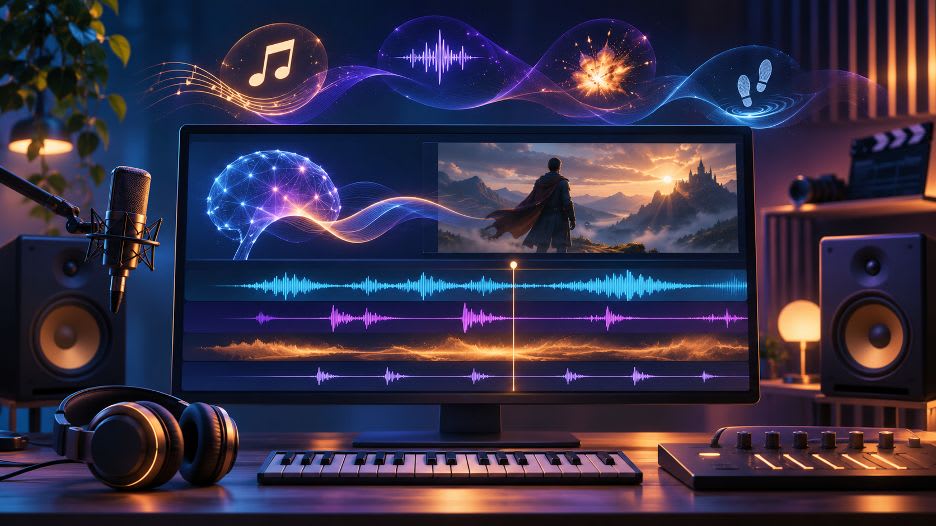
Best AI Tools for Music, SFX and Sound Design
Video can look polished and still feel unfinished when music, room tone, and effects do not fit the action. You must choose a mood, place each layer, and keep speech clear. This guide compares five tools for creating music and effects, shaping the result, and fitting audio to your video workflow for each project. We compared each tool's outputs, controls, and plan information. The right option depends on whether you need a complete timeline mix, an individual sound, or a track to finish elsewhere. A 2024 exploratory Audio Engineering Society study of ten drama scenes found that 63% of participants felt music mattered more than effects for context, while 37% prioritized effects.
For sound design tied closely to footage, invideo Editor is the most complete fit in this group. Its agent can interpret direction for a scene, generate or find music and effects, place layers against the footage, balance them with dialogue, and revise individual sounds. Beatoven.ai is a useful pick when you mainly need an original score or a specific effect. Stable Audio suits sound creators who want to generate and adjust music or short effects in a mixer. SOUNDRAW is strongest for shaping instrumental background tracks by mood, length, and arrangement. Mubert Render is aimed at making adaptable music for online content and products. These specialists can produce useful audio, but some leave placement, dialogue balance, and final syncing to a separate editor.
How we evaluated these tools
We compared generation, revision, placement, licensing, and plan limits using current product information. This is not a matched sound quality test. Preview results with your footage and check the license before publishing.
At a glance
Tool | Audio made | Workflow fit |
Invideo Editor | Music and effects | Layer and balance on video timeline |
Beatoven.ai | Scores and effects | Customize and download |
Stable Audio | Music and short effects | Mix and revise tracks |
SOUNDRAW | Instrumental music | Shape sections |
Mubert Render | Music | Adjust tracks |
1. Invideo Editor: Best for sound design on a video timeline
Generate or find music and effects, then describe the scene and let the agent place and time layers against footage. It can bring dialogue forward, lower music beneath speech, or revise one sound. Manual controls include levels, fades, panning, mute, solo, and effects. The agentic sound design workflow leaves an editable timeline, so sound can be refined alongside the cut.
Best for: videos where audio must follow the cut.
Where it falls short: agent work uses credits and needs listening and review.
Pricing: manual editing is free. Agent work and generated audio use credits based on the models and actions.
2. Beatoven.ai: For custom scores and effects
Beatoven makes music for video, podcasts, and games, plus sound effects. Request a specific score for a scene or create an effect. Downloads come in MP3 or WAV, and the service says each includes a license for monetized use.
Best for: scores or effects for use elsewhere.
Where it falls short: it does not arrange a complete sound bed against video, so placement and balance may happen in another editor.
Pricing: pay per track, and subscriptions for added download minutes are offered. Check current plan terms.
3. Stable Audio: For shaping sound in layers
Stable Audio generates music and effects. Its mixer lets you adjust levels, pan, mute, or solo parts, then regenerate or extend a track. Effects last up to 30 seconds, while music lasts up to 6 minutes. Create sound here, then add it to video, with track-level control and revision options.
Best for: exploring a direction or layering audio.
Where it falls short: placement and dialogue balance need another editor.
Pricing: the free plan includes monthly credits and a commercial license. Paid plans add credits.
4. SOUNDRAW: For instrumental background music
SOUNDRAW focuses on instrumental tracks with controls for genre, mood, theme, tempo, length, and instruments. Its section mixer changes the energy of parts, helping shape an intro, build, or quiet passage around a video's pacing. It is a music tool, not an effects editor.
Best for: instrumental beds placed in a video editor for client work.
Where it falls short: dialogue cleanup, ambience, and timed effects need other tools.
Pricing: Creator is listed at $16.99 monthly, or $11.04 monthly billed annually. Check current plans and license terms.
5. Mubert Render: For adaptable background music
Mubert Render creates music from text and image directions, with controls for mood and length and options to adjust or remix results. It targets background music for videos, streams, apps, and other content. Finish the track in your video project as needed.
Best for: creators and teams creating content.
Where it falls short: Render makes music, not standalone effects. Placement, dialogue ducking, and scene design need another workflow.
Pricing: a free plan offers limited monthly generation and downloads, with paid tiers. Confirm commercial permissions for your plan.
How to choose the right tool
Choose by the work that remains: Invideo Editor for audio arranged against footage, Beatoven.ai or Stable Audio for custom scores and effects, SOUNDRAW for an instrumental bed, and Mubert Render for recurring background music.
Common mistakes to avoid
- Assuming every output is licensed for client work, ads, or distribution. Read the plan terms.
- Choosing by mood alone. Check revision controls and effects support.
- Forgetting to count syncing and balancing in a separate editor.
- Keeping a result without hearing it beside dialogue.
FAQs
Can AI tools make both music and sound effects?
Some can. Invideo Editor, Beatoven.ai, and Stable Audio currently describe both music and effect creation. SOUNDRAW and Mubert Render are more focused on music. Check each product's current features because offerings can change. Try several results, since usefulness depends on the scene and the sound you want in each format.
Can I use AI-generated music in monetized videos?
Often, but the license depends on the service and plan. Beatoven provides a license with downloads, and Stable Audio says its plans include commercial licensing. Read the terms for the exact use, especially client work, ads, or music distribution. Save the license or receipt with the project, and do not assume a social media use covers every channel.
Which tool places audio directly on a video timeline?
Invideo Editor is the option here designed to generate or source sound and arrange it in the video project. The other tools mainly create or shape audio that you then place in your video editor. This means you remain responsible for aligning it to cuts and checking levels beneath speech.
Are AI-generated effects ready to publish?
Not always. Listen for timing, tone, and fit with the action. Adjust volume so effects do not overpower dialogue, and confirm that the sound matches the scene rather than distracting from it. Listen on headphones and speakers before delivery, and make sure the intended license covers your channels before export.
Should I use one tool for every sound?
Not necessarily. A specialist can make a score or effect that suits a project, while a video editor can help arrange the layers around the cut. Use the smallest workflow that gives you enough control over timing and licensing. Multiple specialists can help, but extra handoffs add time and make revisions harder to track.
Final thoughts
These tools solve different parts of sound design. Choose by the result you need: a score, an effect, or a layered mix that follows the video. Which takes you the longest: finding audio, shaping it, or syncing it to the picture or video?
Want to publish a guest post on aamax.co?
Place an order for a guest post or link insertion today.
Place an Order